Room allocations - from what I understand, there is a pre-assignment process for housing.
Students are “gaming the system” by getting access to buildings in specific locations (to lower their campus commute times) or by forcing single occupancy for themselves in 2+ occupancy dorms (which then creates a housing crunch elsewhere as you might end up with a triple or a quad elsewhere to compensate for it).
Maybe Microsoft needs to fix the cart before they put the jet engines on top of it and try to kill the horses off.
Go back to fixing what’s wrong with Windows, then worry about the AI software running on top of it and where you can add a value proposition, because right now the Windows value proposition is continuing to go right down the shitter as everyone flees Windows 11.
Contrast that to the Linux desktop which "just doesn't work" and my M4 Mac Mini that amazed me with how fast it was when I bought it and a year later it is beachball... beachball... beachball... reboot. beachball... beachball... beachball... Doesn't help that they vandalized the UI by adding meaningless transparency effects which don't actually look cool but rather look like they added anti-antialiasing to the edges of everything for now reason.
Some are more tech savy than others here, but I guess almost anyone can do the following trick successfully:
  step 1. visit https://endeavouros.com/
  step 2. download iso
  step 3. flash iso on medium
  step 4. boot medium, installation window shows
  step 5. you choose KDE, yes: KDE. Do more mouse clicks.
  step 6. system tells you it's done, and offers you to reboot.
almost everyone knows the formula for olvine and quartz, too, of course
theres probably less than 10 people in my entire company that know half of the words you wrote there. whats an "iso"? what is "flashing" the "iso"? how do i "boot medium"? what is "KDE" and why do i want to say yes?
(i know what these are, and maybe most people browsing a tech-focused forum with "hacker" in the name, but the vast majority of people do not)
You are right, I somehow forgot the word "here" after "anyone". I don't expect the average laymen be able to follow these steps, but I have those expectations from the people here.
I love a feature of notepad++ where when you have documents open and exit, it won't bother you with a save dialog and when you open it again the previous state will be there. I found that mousepad on linux can do this.
For something functionality close I would look at Kate.
I love and hate it at the same time, just like my browser tabs hoarding, it means I currently have 218 open documents on Notepad++ (and 96 browser tabs). I might not even need them anymore, but it's always "I'll look at them... later".
For the browser you can use something like Session Buddy. Save the session and move on secure in the knowledge that the tabs are there IF you need them.
At least in past I gave up and just used N++ with Wine. It didn't fit the rest of system at all, but was more usable for editing simple text files than DE defaults of GEdit and Kate.
And at the end of the day if the location is a hundred meters off... it might still not matter because it's how you frame it with other evidence beyond a reasonable doubt.
Even the article mentions this.
> I have served on a jury where the prosecution obtained location data from cell towers. Since cell towers are sparse (especially before 5G), the accuracy is in the range of tens to hundreds of metres.
I've also personally witnessed murder cases locally where GPS location put a suspect to "100 meters away". The rest of the evidence still pushed the case forward to a guilty verdict, and the phone evidence was still pretty damning.
> And at the end of the day if the location is a hundred meters off... it might still not matter because it's how you frame it with other evidence beyond a reasonable doubt.
For example, if you drop a pin a hundred metres off from the incident, then when you're maybe several hundred metres off the column of smoke is probably a better indicator of locus than the wee dot on your screen.
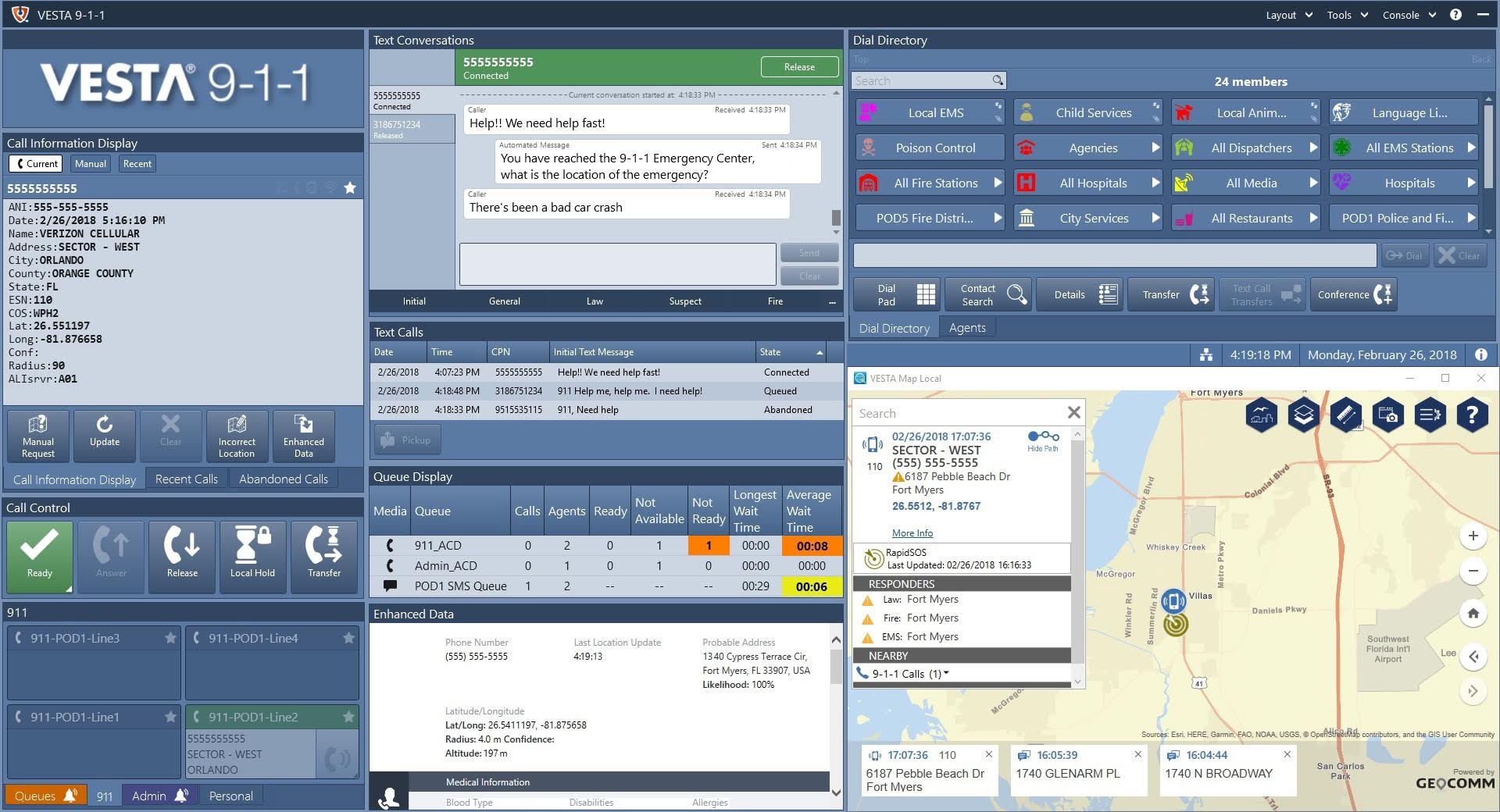
Carrier* Android and iOS both integrate with RapidSOS UNITE. RapidSOS then processes the rich emergency information from the user's device (enhanced location, videos and photos, etc), and is available to the 911 dispatcher in their dispatch software. 99.99% of Americans are covered by RapidSOS integrations in their municipalities.
I'm actually a little shocked seeing that there was a WebOS variant of the residential proxying SDK endpoint. Does that mean there might be a bit more unchecked malware lurking behind the scenes in the LG ecosystem?
Personally I'm surprised they didn't have a Samsung option.
I keep my brand new LG C5 totally disconnected from the internet and use my Apple TV for movie watching. I’m not going to trust a company like LG to secure their devices.
Hell, if you're using Teams PSTN calling, your location has to be pulled in by Teams for e911 compliance anyways down to the building. It updates automatically already, even!
Sure, and your corporate IT also have the roaming logs from their APs and the access logs from the VPN (and maybe your location from MDM anyway), but it doesn't get shown to your boss and coworkers in real time, probably, unless your company is structured really weirdly.
What happens if you deny location permissions? Why doesn't every other VOIP app require your live location, and instead are fine with a random address you manually entered?
I used to work in healthcare network/telecom and then as a healthcare network/telecom VAR before working at a networking manufacturer currently for the last ~year. The below may be slightly out of date, and I was just the person getting told by the lawyers instead of the one with the real understanding, but it was what I'd run into at the time for the US.
The understanding I always got from legal was "it's continually the company's legal liability under the RAY BAUM's Act whether the address is correct when the user dials 911 on/via the corporate systems, not the user's". Sometimes the conversation sounded like you could potentially have users sign something to transfer that liability, other times legal didn't seem to even want to entertain the idea as valid. Regardless, none of the companies ever ended up wanting to go that route for either concern of general friction/overhead or concern there would be employees pushing back that they don't want to sign it and instead would just want 911 to work (which is also a reasonable position for an employee to want to hold). I.e. implementing automatic VOIP location for some users but not others was either impossible on some systems or just seen as a nightmare to try to track/audit, even if they were willing to try to make every employee perfectly happy about it. A bit of a legally induced quagmire for a good intent (accurate 911 not being something a place could opt out of providing) which had trade offs in reality.
RAY BAUM's compliance requirements for for nomadic endpoints in went active in 2022 but most companies had already started trying to be compliant a little prior to that when fixed endpoints needed it anyways. Some companies of course don't bother, either knowingly or unknowingly assuming that compliance risk. Before that it wasn't really a topic.


Here's what it looked like back in 1967... https://www.youtube.com/watch?v=GsuiLxcDuHY&t=925s
reply