I may get accused of UI nostalgia, but I'm always shocked that the simple UX of winamp is not found on any modern media player (at least none I've found in 2021, on MacOS).
I just want to:
* Go to desktop and select one of more folders full of music.
* Right-click -> Play, or drag into the player. Either add or replace to existing file set.
Most of the comments are about the UX, on which I have no comment. On Winamp, though, I thought this was a nostalgia piece!
Hear, hear. My pandemic project was digitizing all the vinyl records I still wanted to listen to, and then selling them on Discogs [1]. I combined those with my CDs, and put it all on a 256GB microSD card for my phone! Even using FLAC instead of MP3, it's plenty of space.
Shuffle randomly and listen in the car. It's better than any radio station, and no subscription fees or commercials.
It's easy to find an Android app that just does this, which is basically the same thing Winamp did back in the day.
It's hard AF to find an app for the Mac that just does this. They all have zillions of other features that get in the way. And no, VLC does not JUST do this; it does a million other things that obscure simple play-my-music functionality. I settled on Elmedia, which is sorta tolerable.
Apple's Music app and their devices don't support FLAC, but they do support Apple Lossless format. It's annoying to have 2x the files if you want to support both ecosystems, but if you only want to have lossless music in Apple-land, you can use XLD to do a one-time convert.
VLC is surprisingly terrible for audio. It struggles to read tags and almost never auto-sorts properly, it cuts off the end of tracks, there's no ability to play without gaps, etc.
I use VLC as my primary audio player. While I can't speak to the sorting and tagging issues, I can't say I've ever heard it cut off ends of tracks or play without gaps. Maybe those are related to your sound buffer settings
Gapless playback won't be available until VLC 4. Audio getting cut off at the end has been a known issue for 10 years, and will apparently be fixed in v4, as well. I realize that I could be running the nightly to fix the audio issue, but then I'm just trading for other existing v4 bugs -- and these fixes were only implemented very recently into the nightly, so for me at least, VLC has still been a very subpar audio player.


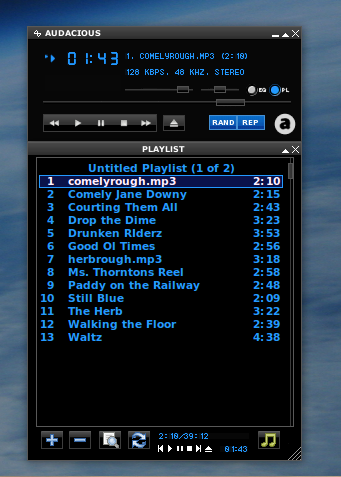
I just want to:
* Go to desktop and select one of more folders full of music.
* Right-click -> Play, or drag into the player. Either add or replace to existing file set.
* Select or de-select shuffle
That's it. Why is this so hard??